
The Get recommended page evaluates your product catalog and shows how well your product data can be understood by AI assistants such as ChatGPT, Claude, Perplexity, and Gemini.
Each product receives a Data Quality score from 0 to 100 based on its product data. The page also identifies issues that may prevent AI assistants from understanding and recommending the product correctly.
Scan your product catalog
To evaluate your products:
- Go to Get recommended in the app.
- Click Run scan.
- Wait until the scan is complete.
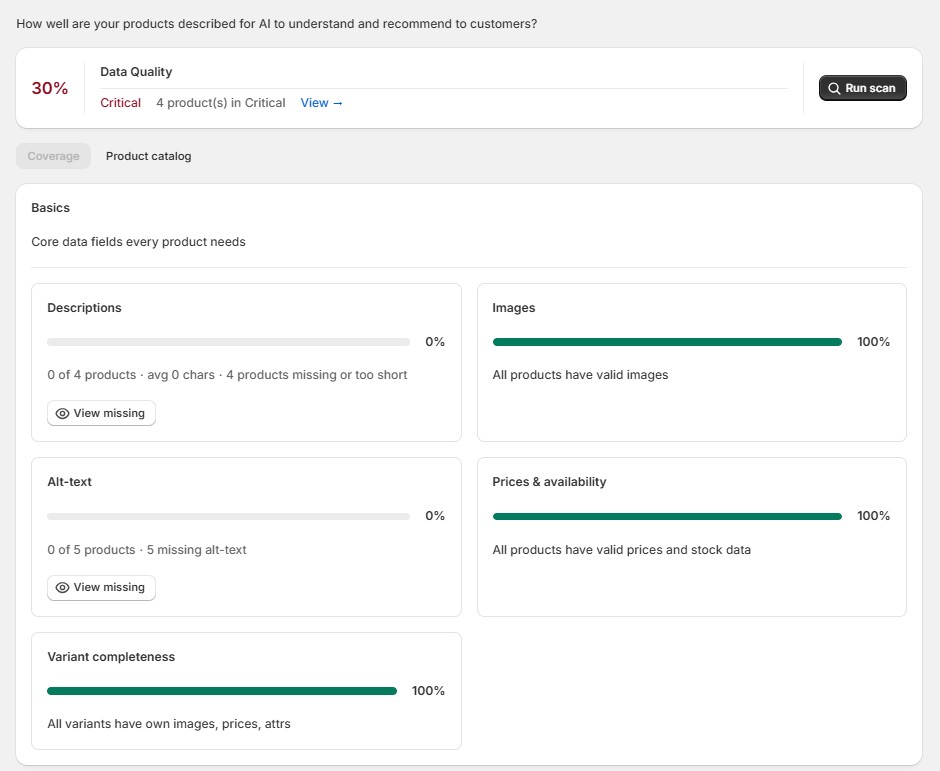
After the scan, you can see the overall Data Quality score and the number of products in each status:
- Healthy (score ≥ 80)
- Needs attention (score 60–79)
- Critical (score <60)
Review your products
Open the Product catalog tab to see the scan results for individual products.
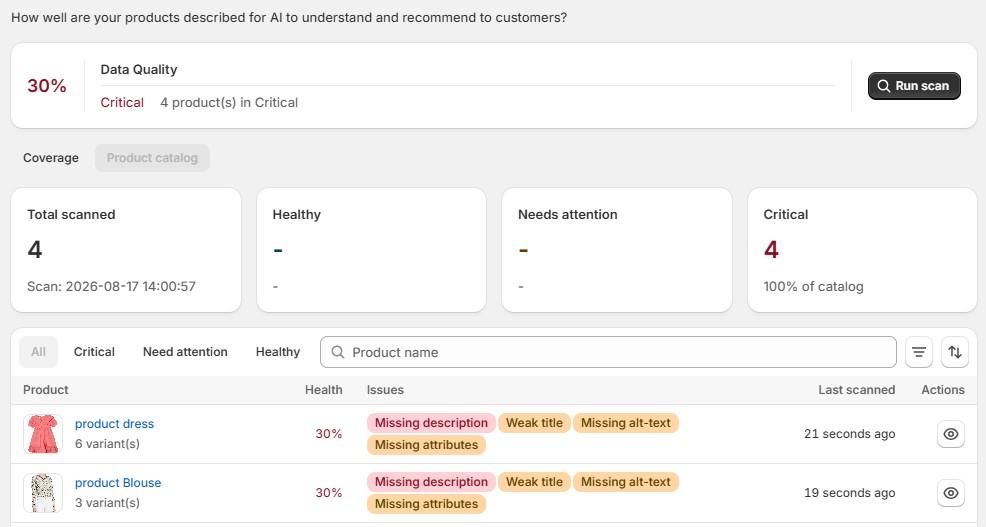
You can:
- filter products by status, issue type, or collection
- sort the product list
- search for a specific product
- see each product’s score and detected issues
- see when each product was last scanned
Issues such as a missing description, weak title, missing alt text, or missing product attributes are displayed directly in the product list.
Check product details
Click the eye icon next to a product to open its Product details.
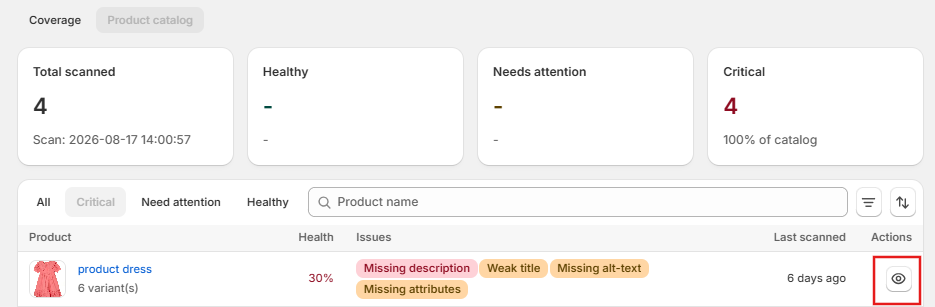
The score breakdown shows how the product performs across six factors:
- Title — whether the title clearly identifies the product
- Description — whether the description provides sufficient product information
- Images — whether the product has images
- Alt text — whether product images have descriptive alt text
- Pricing — whether price information is available
- Attributes — whether important product characteristics are provided
For each issue, you can see what is missing or needs improvement and why this information is important for AI assistants.
Fix product data
To fix an issue, click Fix in Shopify admin in the Product details. You will be redirected to the corresponding product in Shopify, where you can update its data.
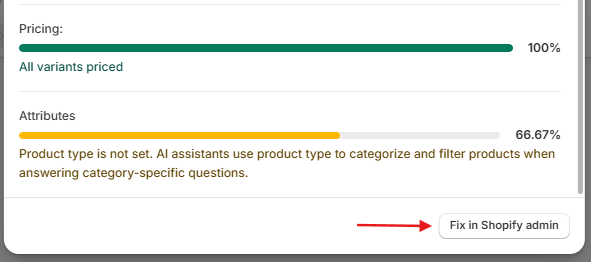
After making changes, return to the Get recommended page and run the scan again to update the scores.
Improving the Data Quality score helps make your product information clearer and more complete for AI assistants, but does not guarantee that a product will be recommended by a specific AI service.
