
To help you customize the design of search widgets to match your store, we’ve developed an AI-powered integration. Upon installation, we analyze your CSS files using Gemini and suggest colors used in your theme. You can apply or decline the suggested styles.
Note
Style detection is performed only once, immediately after you install Searchanise. The results are available for the first 14 days only.
Which parameters are detected?
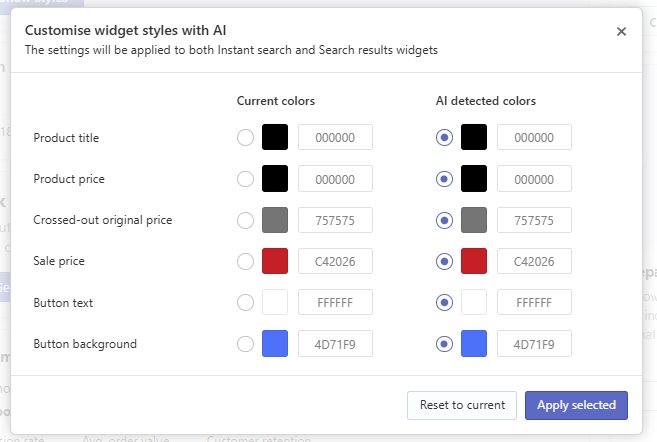
At the moment, six colors are detected:
- Product title — the color of the product name displayed in search results.
- Product price — the color of prices for non-discounted products.
- Crossed-out original price — the color of the original price shown with a strikethrough (before a discount).
- Sale price — the color of the final discounted price.
- Button text — the color of the text displayed on action buttons (e.g., “Add to cart”).
- Button background — the background color of action buttons.
How to apply AI auto-detected styles?
- Find the Show styles button on any of these three pages in the Searchanise app:
- Dashboard
- Search & Navigation > Instant search widget > Template & Style tab
- Search & Navigation > Search results widget > Template & Style tab
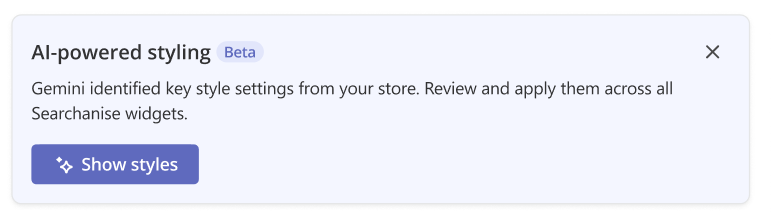
- Click Show styles and choose the colors that suit your store in the pop-up.
- Click Apply selected to use the chosen colors, or Reset to current to discard the changes.
Note
The settings will be applied to both Instant search and Search results widgets.
