
You can let customers leave product reviews directly from their Shopify customer accounts. This makes it easier to collect feedback after a purchase and helps you identify reviews from verified buyers.
Customers can submit reviews from their order history, order status page, or the My Reviews page.
Adding review elements
- Go to Searchanise Reviews > Settings > Customer accounts.
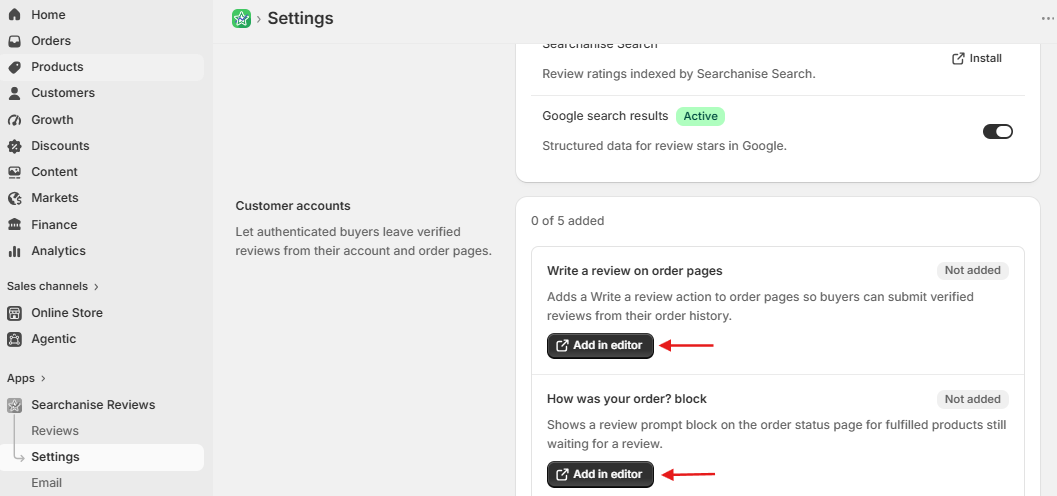
- In the editor, click the + icon next to an extension and select the suggested placement to add the widget.
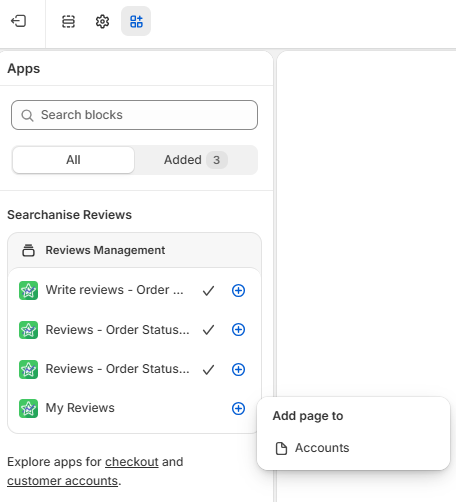
Types of review elements
You can use all elements or only the ones that fit your store. The available review elements are:
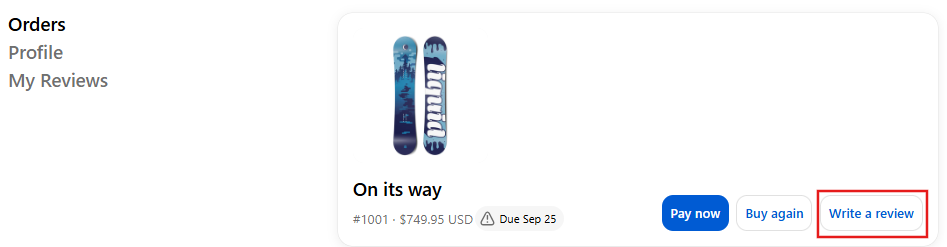
- Write a review — adds a review action to an order:
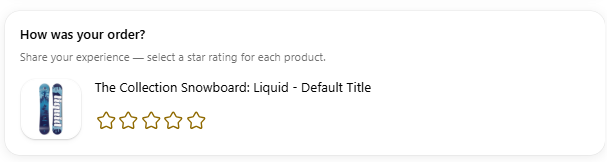
- How was your order? — displays products awaiting a review on the order status page:
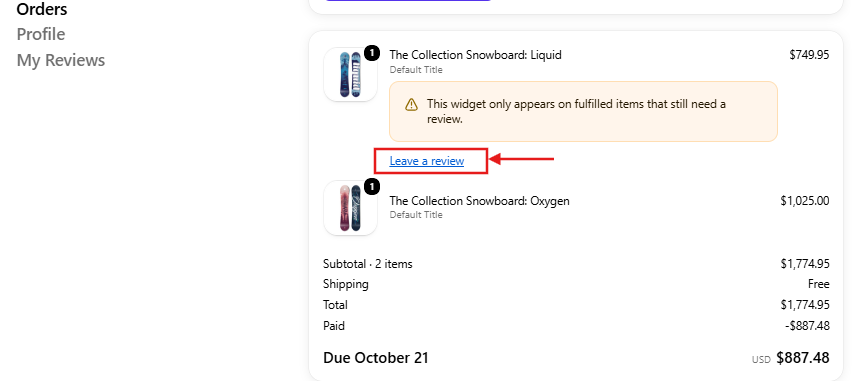
- Review status under products — displays a Leave review link below each eligible product:
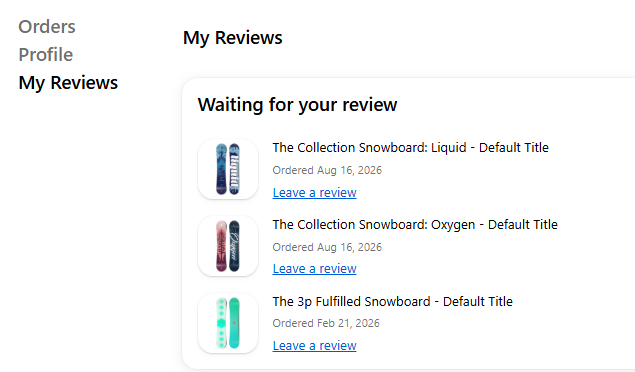
- My Reviews — adds a page where customers can manage their reviews.
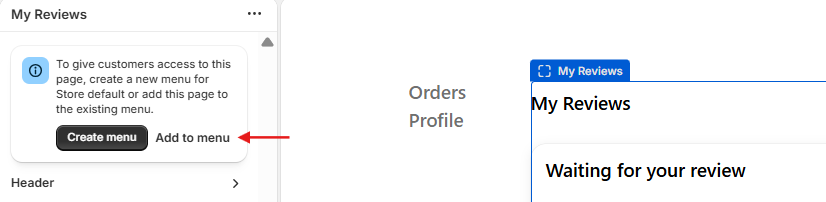
After you add the My Reviews page, Shopify displays a message in the editor. Click Add to menu to add the page to the existing customer account menu.
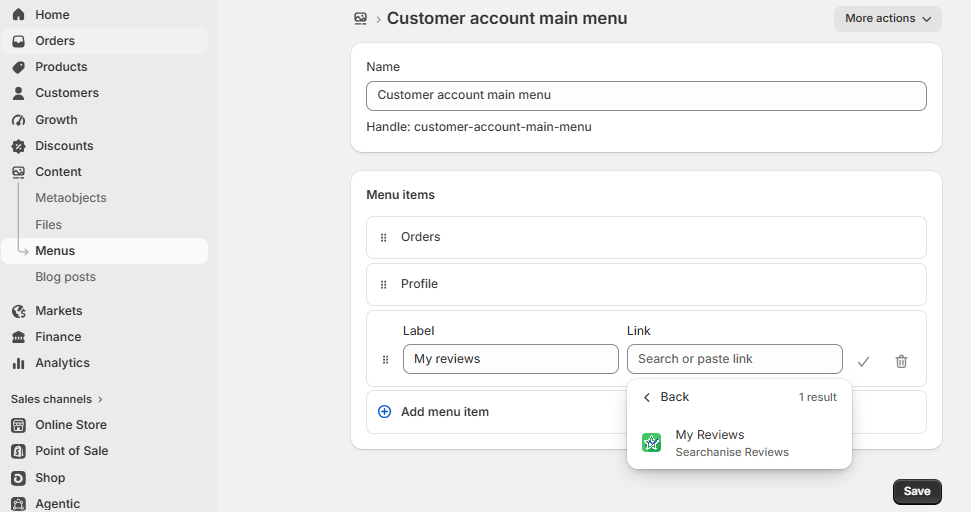
If you skipped this message, you can add the page later:
- In your Shopify admin, go to Content > Menus.
- Open Customer account main menu.
- Click Add menu item.
- Enter My Reviews as the menu item name.
- In the Link field, select the My Reviews page created by Searchanise Reviews.
- Click Save.
The page is then available from the customer account menu.
How it works for customers
Customers can rate a product, write a review, and add photos. They will only see products from fulfilled orders that are available for review.
After submitting a review, customers can see its status on the My Reviews page:
- Published — the review is visible on your storefront;
- Pending approval — the review is waiting for moderation.
Customers can also edit their reviews. Edited reviews are sent for approval again.
Managing review elements
You can return to the editor at any time to add or remove review elementsin any of the following ways:
- From Searchanise Reviews: go to Settings > Customer accounts and click Open editor.
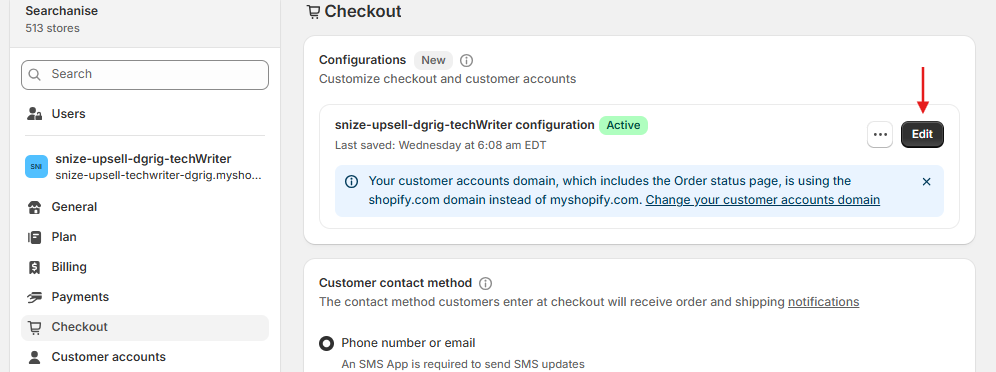
- From Shopify settings: go to Settings > Checkout, then click Edit next to the active configuration. In the editor, click the Apps icon in the upper-left corner.
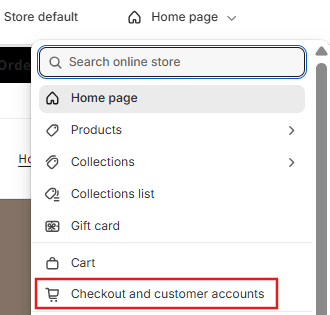
- From the theme editor: go to Online Store > Themes and click Edit theme. In the page selector at the top, select Checkout and customer accounts. In the editor, click the Apps icon in the upper-left corner.
Important notes
- A customer is not asked to review the same product more than once, even if it was purchased in multiple orders.
- Products already reviewed through your storefront or review request emails are not offered again.
- Rejected reviews are not shown to customers; the product can be reviewed again.
- Reviews submitted through customer accounts are marked as coming from Customer account in the Reviews section. Use the source filter to find them quickly.
