
The Searchanise Search & Filter app has two control panel designs: the new control panel (new version) and the previous control panel (old version). The settings may be similar, but the navigation and page layout differ.
Searchanise Search & Filter is gradually rolling out the new control panel to Shopify stores. During the rollout, some Shopify stores may still use the previous version. If switching is available for your store, you can try the new control panel and return to the previous version at any time.
Use the examples below to identify which version is shown in your store.
New control panel
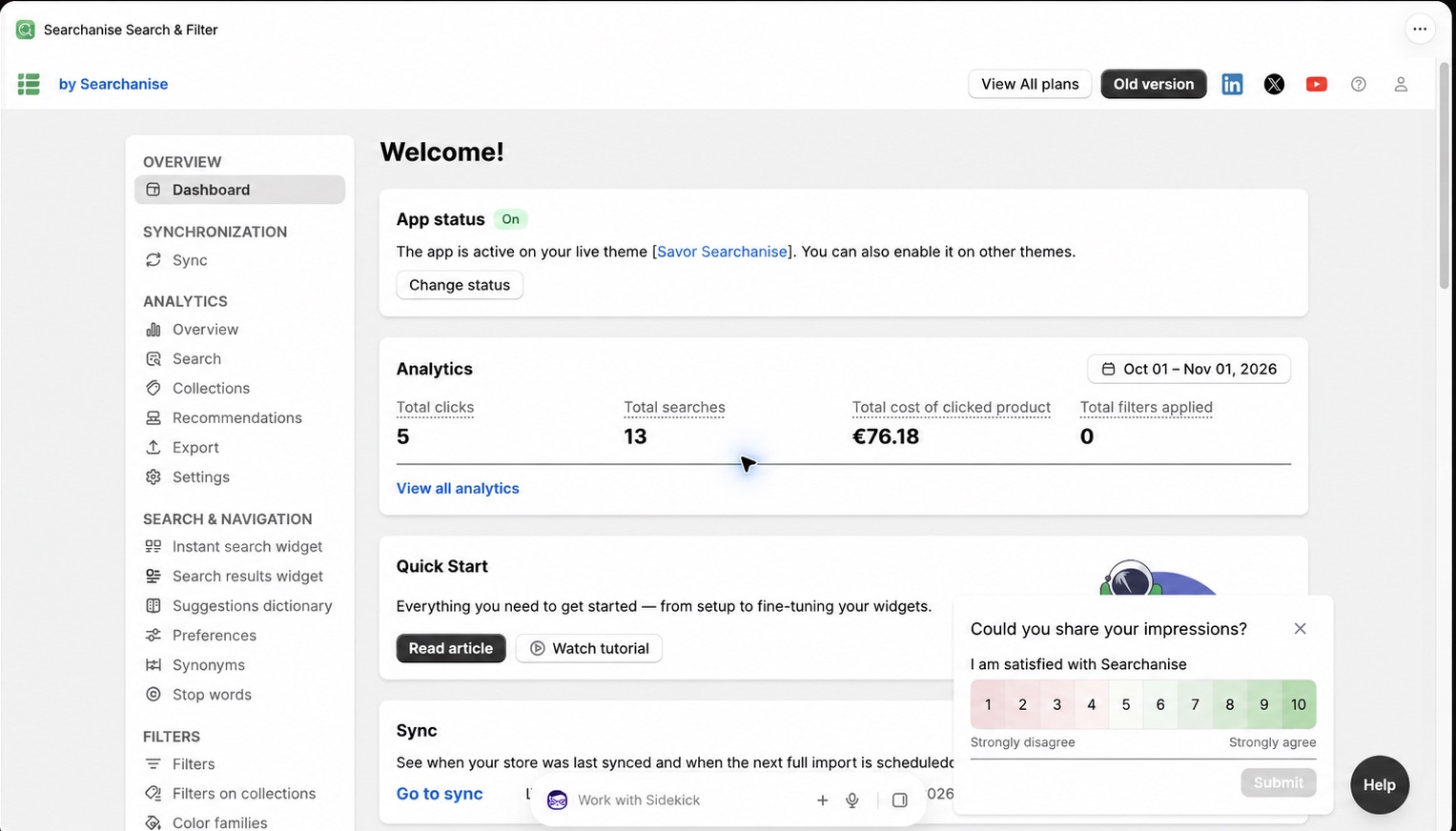
When you can switch between versions, the top bar also includes an Old version button.
On Shopify, the new control panel opens inside Shopify Admin and follows Shopify’s embedded-app navigation.
Who can see the new control panel?
The new control panel is available to Shopify stores for which the new version has been enabled.
Because the rollout is gradual, some Shopify stores may see the new control panel while others still use the previous version.
Previous control panel (Old version)
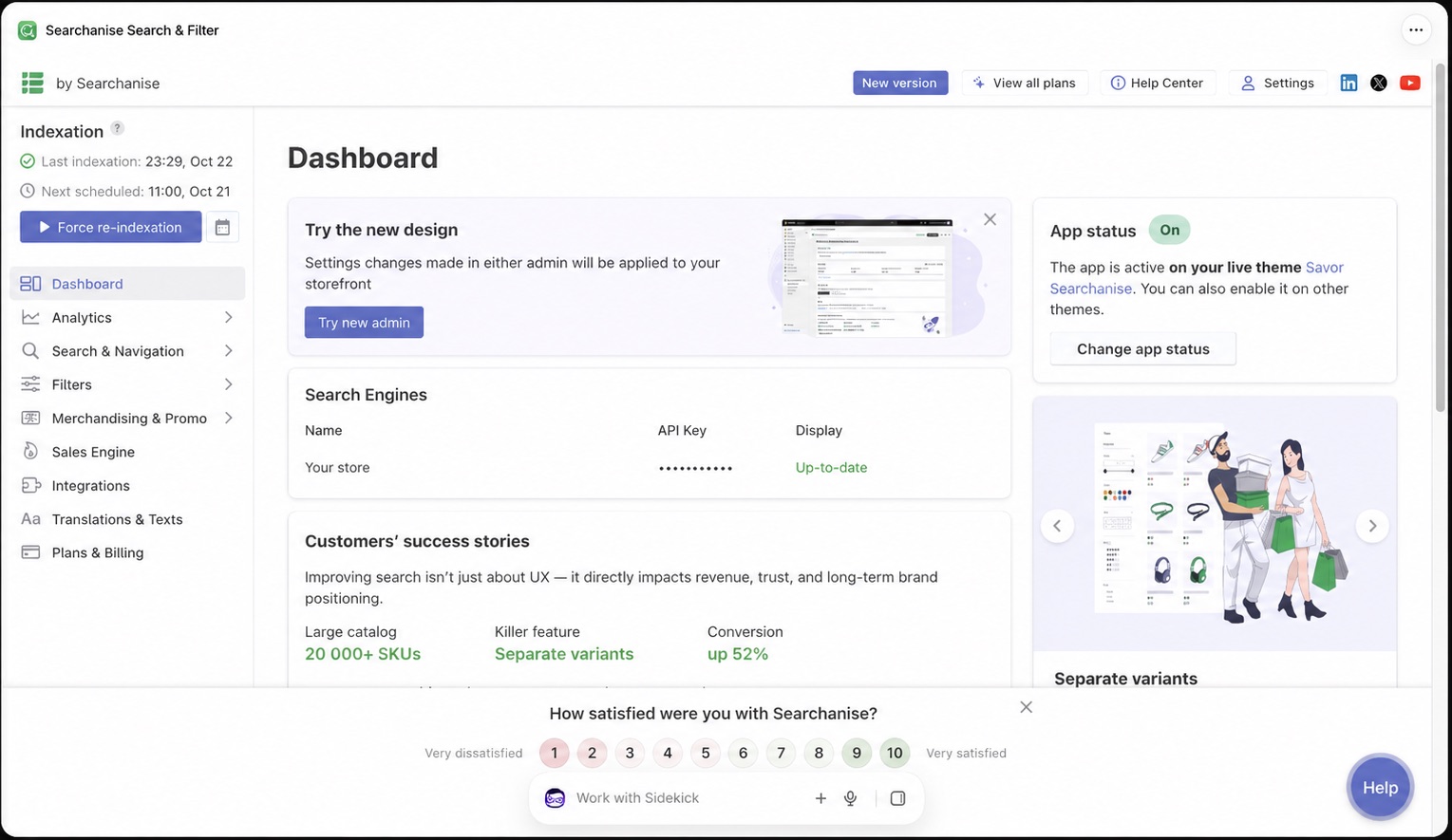
If switching is available for your Shopify store, you may also see a New version button in the top bar. You can use it to open the new control panel. In the new control panel, use the Old version button to return to the previous version.
Who can see the previous control panel?
The previous control panel is used by Shopify stores for which the new version has not yet been enabled and by Shopify stores that have switched back to the previous version.
It is also used by stores on BigCommerce, Wix, WooCommerce, CS-Cart, Magento, and Magento 2, as well as stores using a custom Searchanise integration.
Quick comparison
The new control panel has a light, card-based interface with more spacing. Its navigation is grouped into sections. When switching is available, it includes an Old version button.
The previous control panel has a denser layout. Shopify stores with access to switching may see a New version button.
If the steps in another Searchanise article do not match your screen, first identify your control panel using the visual markers above and then follow the instructions for that version.
