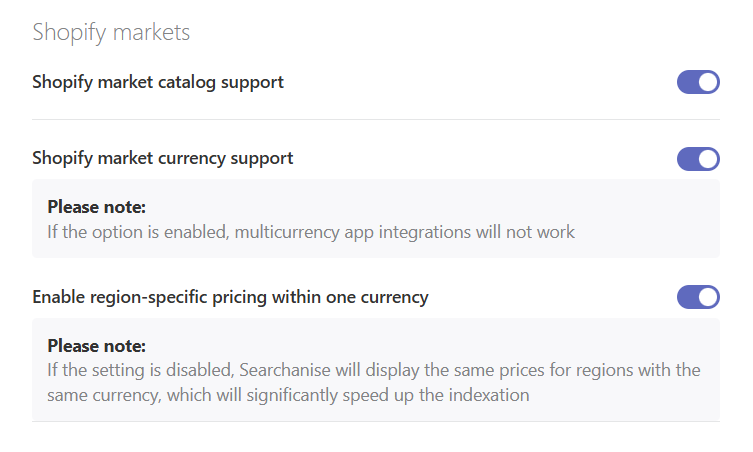
Searchanise supports Shopify Markets through its widgets — the Instant Search widget, the Search Results widget, and Filters on collections. Visitors browsing from specific domains see products according to their market configuration (market assignment is based on the visitor’s region):
- available for their market
- in their language
- in their local currency (if Shopify Payments is set up, which is required for Shopify Markets)
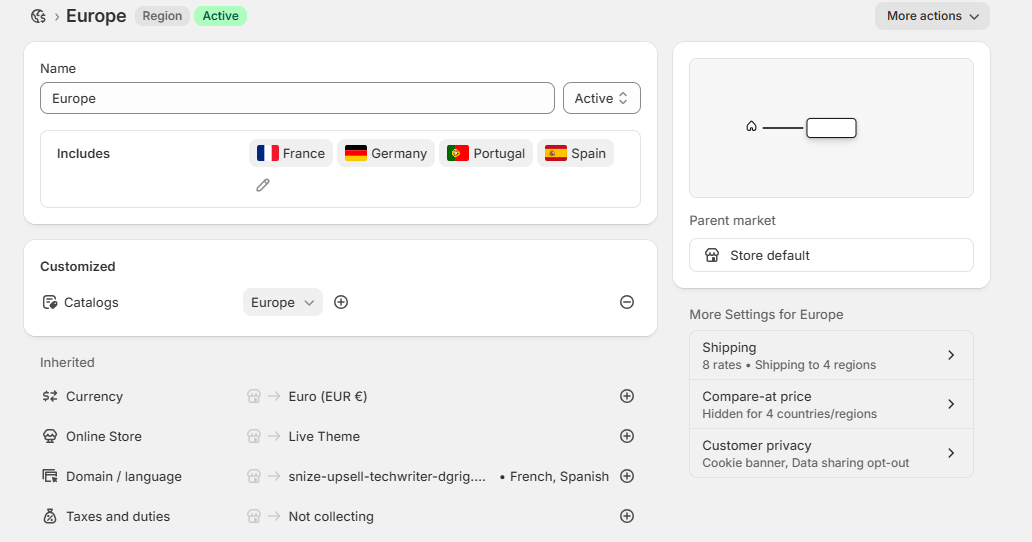
For example, a visitor from Germany (part of the Europe market) will automatically see products assigned to the Europe market, prices in euros, and content in German.
Product availability is currently tracked only at the global level. Market-specific stock tracking is under development.
Remember to click the Force re-indexation button to apply your updates.
In the Searchanise admin panel, go to Search results widget > Preferences > Products > Shopify Markets (at the bottom of the page). The following settings are available:
- Shopify market catalog support enables indexing of products based on their market associations. Enabled by default.
- Shopify market currency support allows selling in multiple currencies through the app’s widgets. Enabling this option disables third-party multicurrency app integrations.
- Enable region-specific pricing within one currency. Disabling this option allows Searchanise to use one price for all regions with the same currency, which results in significantly faster indexation.