
This article is general for Shopify, BigCommerce, Wix, WooCommerce, Magento 1, Magento 2, CS-Cart.
By default, Searchanise widgets use your theme’s font family. If you’d like, you can change it in the Instant Search Widget or Search Results Widget. Here’s how:
- In the Searchanise Search & Filter control panel, go to:
Search & Navigation > Instant search widget (or Search results widget) section > Template & Style (or Style) tab > Typography part. - Change the Font setting.
- Save changes.
That’s it. Your widgets will now display in the new font.
For Wix users
The font of the search bar‘s placeholder text and the text typed into it is configured in the Wix Editor: Searchanise Search Bar > Settings > Text style & Color > Fonts.
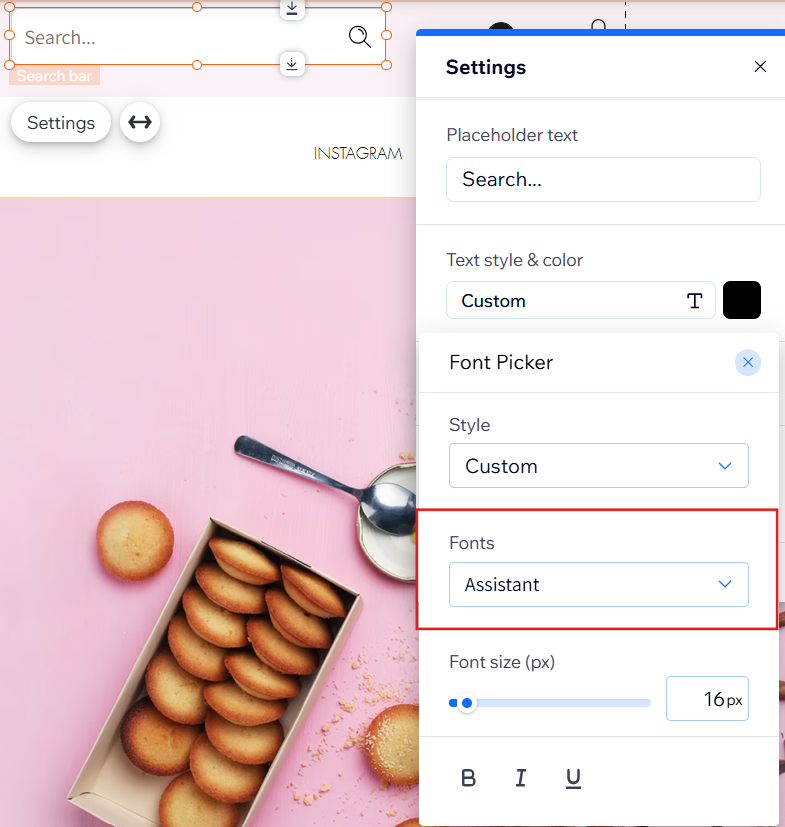
The fonts used for the dropdown text and the Search Results widget can be configured in the Searchanise control panel, as described above.
