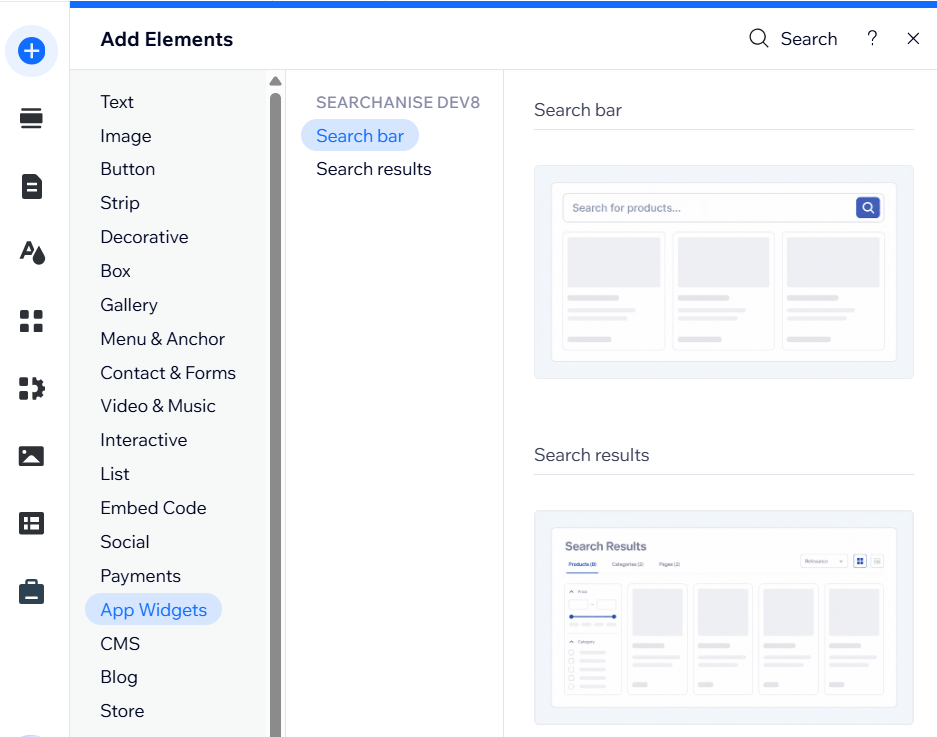
You can disable the Instant search widget and Search results widget separately in the Wix Editor.
Disable the Instant search widget
To remove the Instant search widget from your storefront:
- Open the page containing the Search bar in the Wix Editor.
- Select the Search bar.
- Delete it from the page.
- Publish the changes.
If the Search bar is in the header, remove it there. If it was added to page bodies, remove it from each page where it appears.
Disable the Search results widget
You have several options for removing the Search results widget in the Wix Editor:
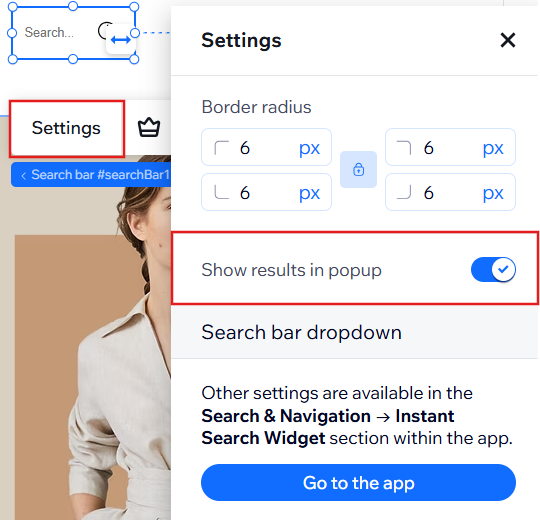
- Open the search bar settings and enable Show results in popup.
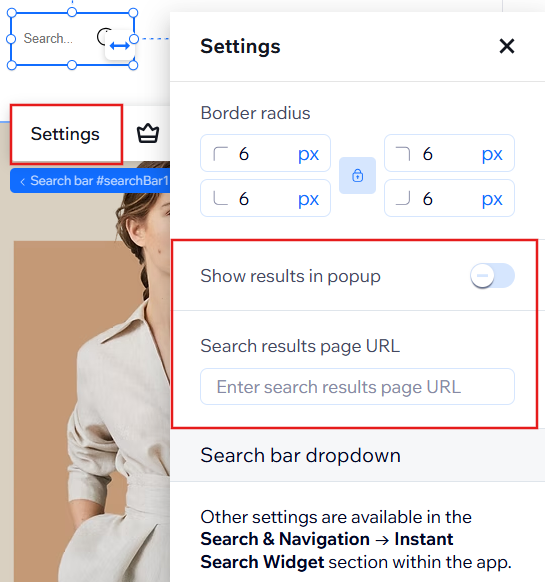
- Disable Show results in popup and enter another working URL to redirect visitors.
- If you also have a Search results page, we recommend deleting it to prevent visitors from accessing it through a direct link.
Don’t forget to publish the changes.
Deleting the Search results page without changing the Search bar settings may lead visitors to a page that no longer exists.
To add the Search bar or Search results widget back to your site later, go to the Editor > Add elements > App widgets > Search bar/Search results.